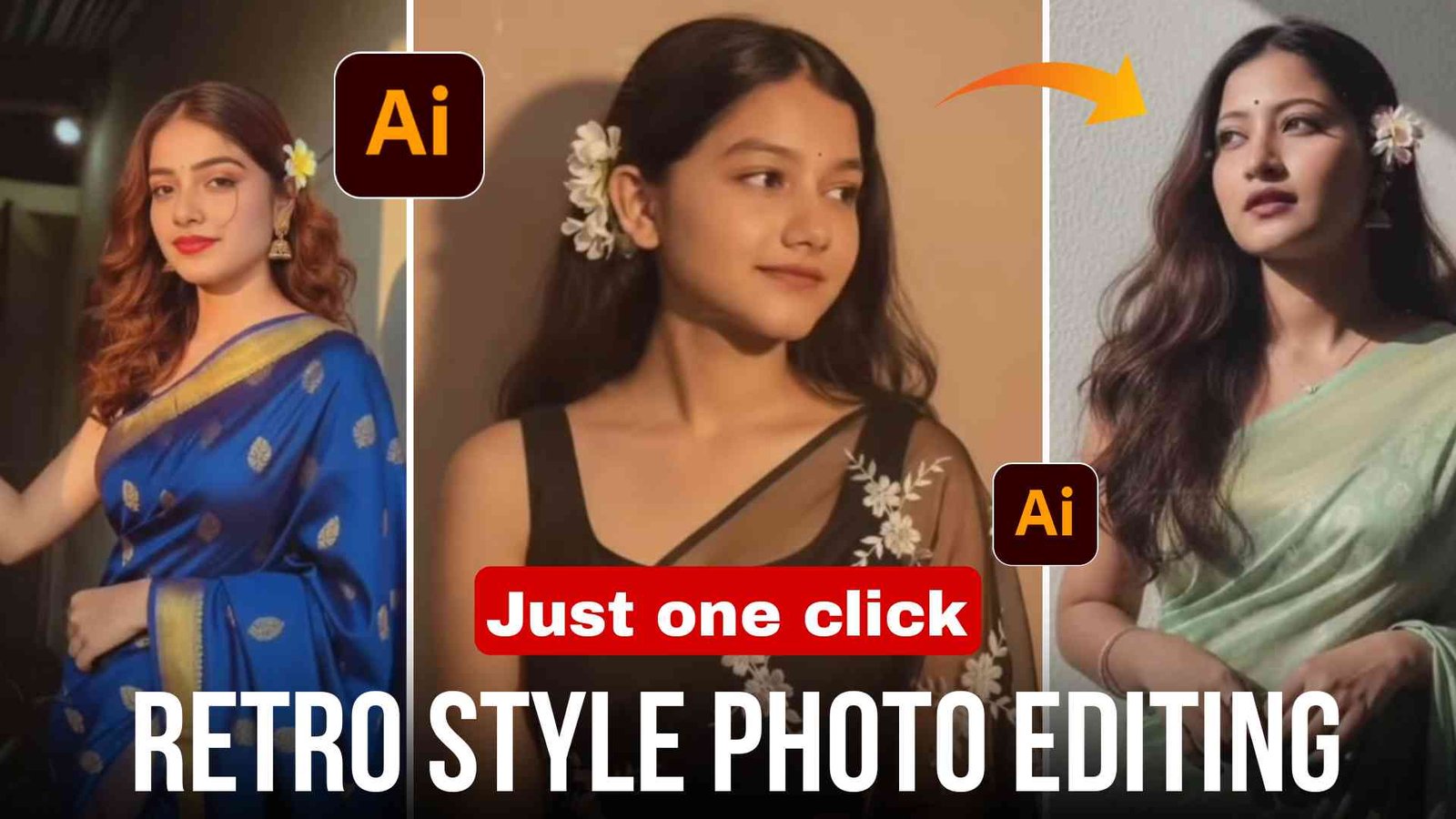
दोस्तों, अभी के समय Instagram, Facebook और सभी सोशल मीडिया प्लेटफॉर्म पर जहाँ देखो वहीं यह Retro Style Photo Editing वायरल हो रही है। खासकर लड़कियों की Vintage, 90s और Retro Look वाली फोटो Instagram पर काफी ट्रेंडिंग में चल रही है।
तो अगर आप भी अपनी normal photo को retro style में convert करना चाहते हो, तो उसके लिए आपको किसी expensive software की जरूरत नहीं है। आप सिर्फ Google Gemini में prompt की मदद से अपनी photo को retro style में बना सकते हो।
आज के इस article में आपको step by step बताने वाला हूँ कि कैसे आप Google Gemini AI tool का उपयोग करके retro style photo edit कर सकते हो और साथ ही 2 prompt दूँगा जो 100% working होंगे।
Retro Style Photo Editing क्या है?
Retro Photo Editing एक ऐसी editing style है जिसमें photo को 80s या 90s के vintage look में बदला जाता है। इसमें ज्यादातर Warm tone color grading, Film grain effect, Soft light & glow, Vintage outfits & background, Slight blur with sharp subject focus, Old camera effect जैसे effects शामिल होते हैं।
इस तरह की editing Instagram Reel, profile photos और thumbnails के लिए काफी ज्यादा इस्तेमाल की जाती है।
Google Gemini AI क्या है?
Google Gemini एक AI tool है जिसमें आप एक prompt की मदद से photo या video generate कर सकते हो और enhance भी कर सकते हो। इसमें आप detailed prompt लिखकर अपनी normal photo को retro style में convert कर सकते हो।
Retro Style की फोटो कैसे बनाएं
दोस्तों, चलिए अब मैं आपको step by step बताता हूँ कि कैसे आप retro style photo बना सकते हो।
- सबसे पहले आपको article में दिए गए prompt को copy कर लेना है।
- उसके बाद Google Gemini app या website को open करना है और Gmail डालकर account बना लेना है।
- अब आपको अपनी कोई भी normal photo upload करनी है।
- और copy किए गए prompt को paste करके send कर देना है।
- Photo create होना start हो जाएगा, आपको सिर्फ थोड़ा सा wait करना है।
- और आपका retro style photo create हो जाएगा।
- आप उसे अपनी gallery में HD quality में save कर सकते हो।
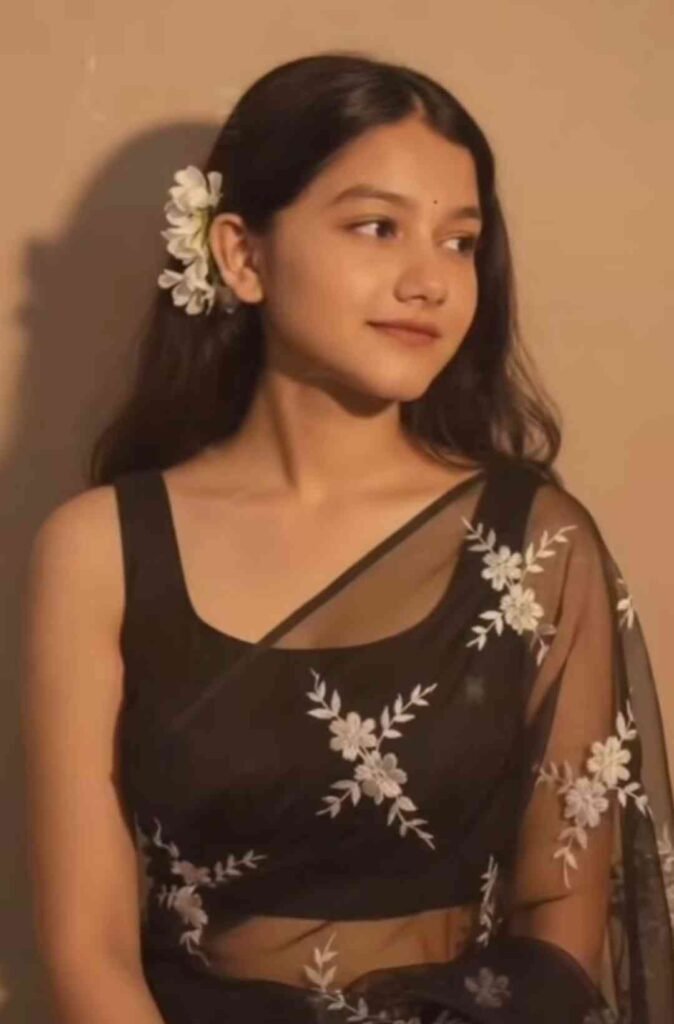
1.Prompt
“Convert to 4K HD realistic quality. A stunning portrait shows a young Indian woman with long, dark, wavy hair over her shoulders. She is wearing a translucent, elegant black saree draped over one shoulder, revealing a fitted blouse underneath. White flowers are tucked behind her right ear. She is looking in front, with a soft, serene expression. I want same face as uploaded no alternation 100 percent same. The background is a plain, warm-toned wall, illuminated by a warm light
2.Prompt
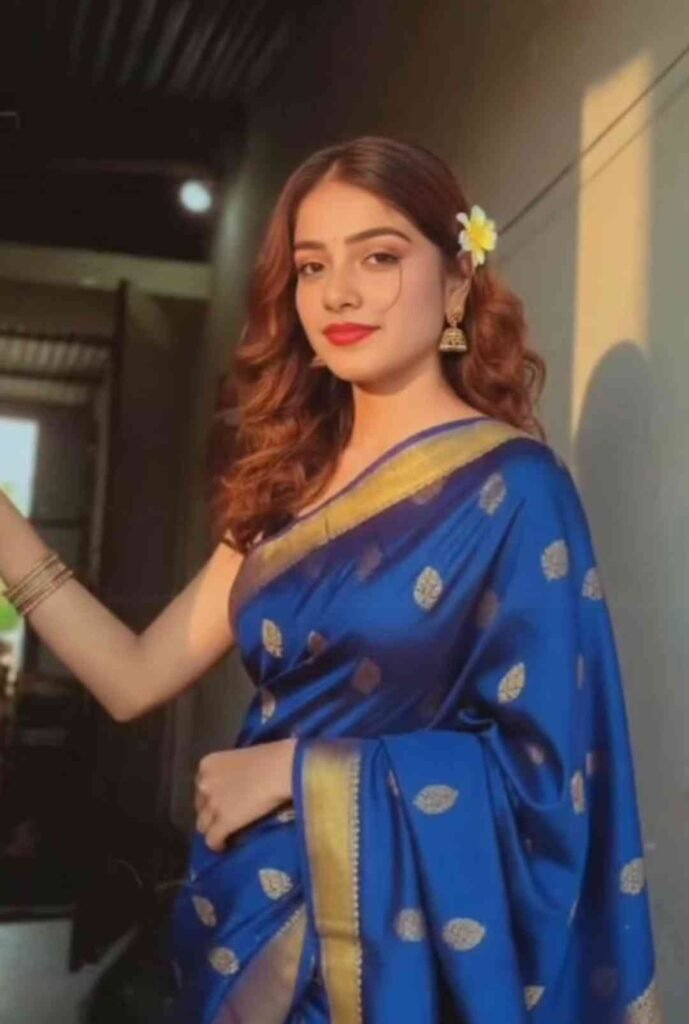
“Convert to 4K HD realistic quality. A stunning portrait shows a young Indian woman with long, dark, wavy hair over her shoulders. She is wearing a translucent, elegant black saree draped over one shoulder, revealing a fitted blouse underneath. White flowers are tucked behind her right ear. She is looking in front, with a soft, serene expression. I want same face as uploaded no alternation 100 percent same. The background is a plain, warm-toned wall, illuminated by a warm light
Best Settings for Retro Look
दोस्तों, retro style photo को और भी realistic और कमाल का बनाने के लिए आप ध्यान रखें कि background थोड़ा blur हो और subject बिल्कुल sharp हो। Color grading में Orange, Brown और Pastel tones use करना है। Outfit Vintage dress या 90s fashion look best रहता है।
Instagram पर Retro Photo Viral कैसे करें?
अगर आपको भी अपनी photo viral करनी है तो केवल editing करने से काम नहीं चलेगा। आपको trending retro music के साथ reels upload करना है और caption में aesthetic quotes use करना है। Hashtags जैसे #RetroVibes #90sLook #VintageStyle डालने हैं और high quality में upload करना है।
सबसे important है Consistency। Regularly high-quality photos upload करने से reach increase होती है।
Retro Editing के फायदे
Retro Editing के काफी सारे फायदे हैं जैसे profile professional और aesthetic लगती है, engagement rate बढ़ जाता है और brand collaboration के chances भी बढ़ जाते हैं क्योंकि आजकल brands भी aesthetic content creators को prefer करते हैं।
FAQ
Q1: क्या Google Gemini free है?
हाँ, basic features आपको free में मिल जाएंगे, लेकिन advance features के लिए आपको paid करना पड़ सकता है।
Q2: क्या mobile से retro photo बना सकते हैं?
हाँ, बिल्कुल mobile की मदद से आप retro style photo बना सकते हो।
Q3: क्या AI generated photo Instagram पर use कर सकते हैं?
हाँ, AI के बनाए गए फोटो आप Instagram पर अपलोड कर सकते हैं, लेकिन originality और quality का ध्यान रखें।.
Important Disclaimer
AI generated images original photo से थोड़ा अलग हो सकती हैं। मतलब face change हो सकता है। बेहतर results के लिए clear और high-quality image upload करें।
निष्कर्ष
Retro style photo editing एक trend बन चुका है। तो अगर आप भी अपनी normal photo को retro style में बदलना चाहते हो तो Google Gemini इसके लिए best साबित हो सकता है। बस आपको सही prompt इस्तेमाल करना है और color grading और lighting पर ध्यान देना है और high quality photo upload करना है।
ठीक है, तो अगर आपको ऐसे ही और trending prompt चाहिए तो आप यहाँ पर आते रहिएगा। धन्यवाद।