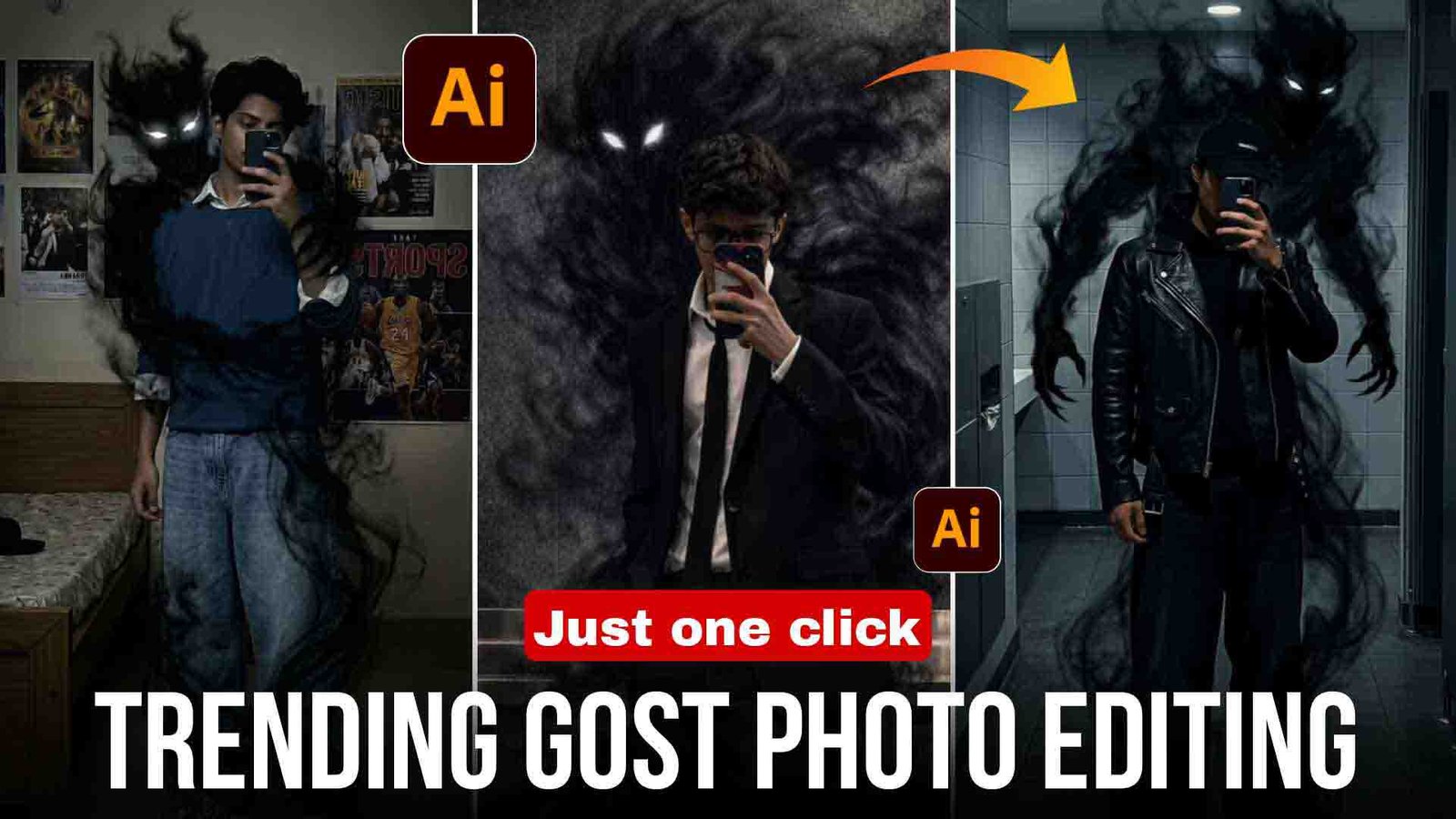
Friends, आजकल ये ghost photos Instagram पर बहुत ज्यादा viral हो रही हैं, तो अगर आप भी अपनी ऐसी ghost photo बनाना चाहते हो, तो आप बिल्कुल सही जगह पर आए हो क्योंकि आज मैं आपको सिखाने वाला हूँ कि आप एक Prompt की मदद से अपनी खुद की ghost photo कैसे बना सकते हो।
तो अगर आप भी सीखना चाहते हो, तो इस article को end तक जरूर पढ़ें और बिना किसी delay के चलिए मैं आपको बताता हूँ कि आप photos कैसे बना सकते हो।
ghost Ai Photo Editing
Friends, इस photo में background में एक ghost होता है और यह photo काफी scary लगती है और यह photo अभी काफी viral हो रही है, तो अगर आप भी अपनी photo को viral करना चाहते हो तो जल्दी से ऐसी ghost photo बना लो, यह ghost photo बिल्कुल free में बनती है और काफी realistic लगती है।
How to make ghost ai photo
तो अगर आप भी ghost photo बनाना चाहते हो, तो आप नीचे दिए गए steps को follow करके आसानी से बना सकते हो।
सबसे पहले article में दिया गया prompt copy करें।
Google Gemini या ChatGPT open करें।
अपनी कोई भी photo upload करें।
Prompt paste करें और send करें।
फिर आपकी photo automatically edit हो जाएगी।
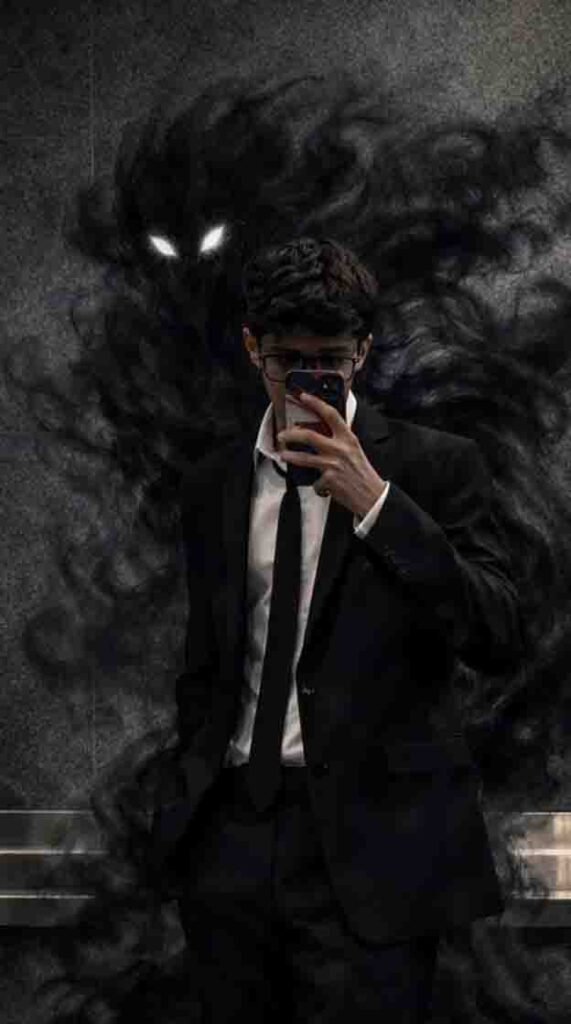
1.Prompt
Transform this mirror selfie into a dark, cinematic fantasy scene. Keep the person exactly the same same face, pose, outfit, lighting, and background.
Add a shadowy, smoke-like demonic entity emerging from behind the person’s back. The entity should be made of swirling black smoke, semi-transparent, with glowing red eyes.
The smoke wraps around the body and flows down to the floor naturally, blending with the environment.
Maintain realistic shadows, reflections, and depth so the creature feels part of the scene. Dark, moody atmosphere, high contrast, cinematic lighting, ultra-realistic, 4K quality.
No change to facial features, clothing, or camera angle.
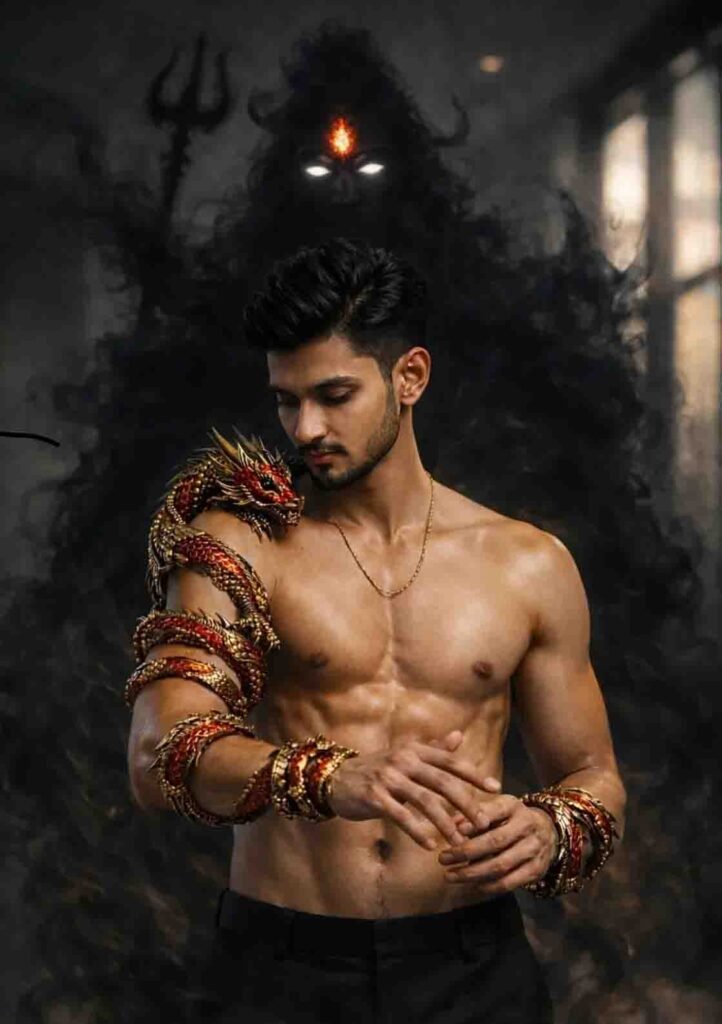
2.Prompt
Create a dark, cinematic fantasy portrait of a young, fit, muscular man standing shirtless in a smoky indoor environment. He has a sharp jawline, neatly trimmed beard, short styled black hair, and a calm, focused expression while looking down at his hands. His skin tone is warm brown with realistic texture, subtle sweat sheen, and defined abs and chest. He is wearing black trousers and a thin gold chain around his neck.
His left arm is wrapped in an ornate golden-red dragon/snake armor, highly detailed with metallic scales, sharp dragon head near the shoulder, glowing red accents, and intricate ancient mythological design. Matching golden-red metallic bracelets encircle both wrists. The armor looks mystical, powerful, and semi-divine.
Behind him emerges a massive shadowy Shiva-like entity formed entirely from thick black smoke. The figure has long flowing hair, glowing white eyes, and a bright fiery orange third eye (trinetra) burning on the forehead. A faint trident (trishul) silhouette is visible in the smoke behind the entity. The smoke swirls around the man’s body, arms, and lower frame, creating a supernatural aura.
Lighting is dramatic and cinematic with soft highlights on the man’s muscles and face, deep shadows, high contrast, volumetric smoke, and a moody dark color palette. Background is blurred and atmospheric with subtle window light, giving a studio-meets-mythology feel. Ultra-realistic, hyper-detailed, fantasy realism, cinematic movie poster look, 8K quality, shallow depth of field, dark Hindu mythological aesthetic.
Aspect Ratio: 3:4
Style: Dark cinematic fantasy, hyper-realistic, mythological
Mood: Powerful, divine, mysterious
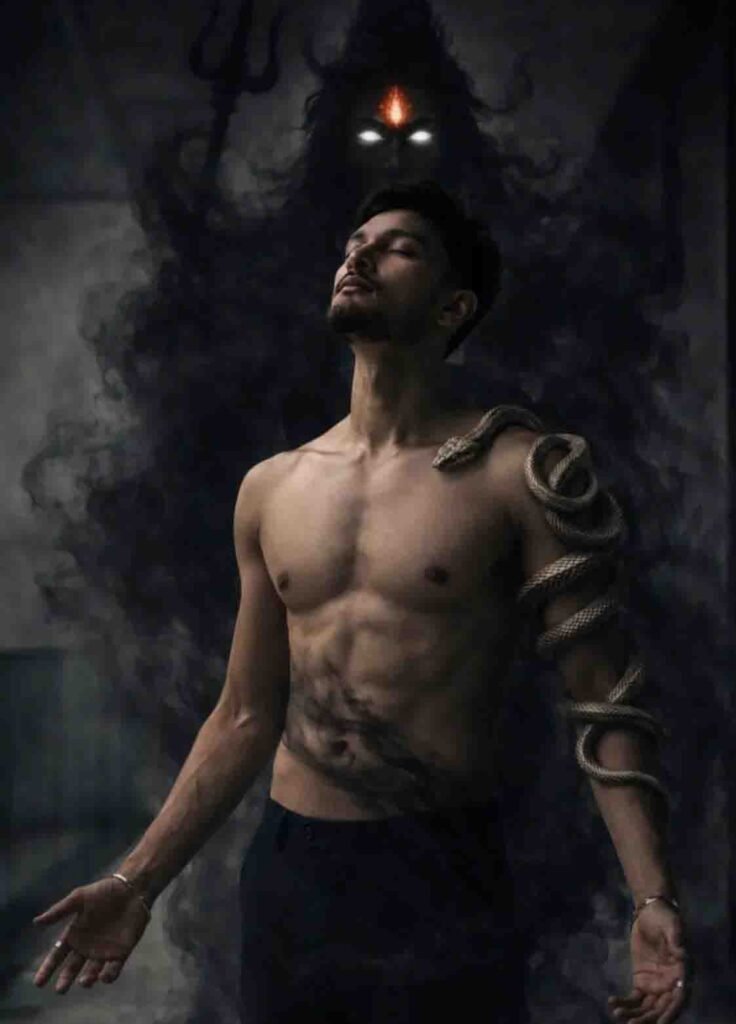
3.Prompt
Create a dark, cinematic fantasy portrait of a young muscular man standing shirtless in a smoky, shadow-filled environment. The man has a sharp jawline, trimmed beard, short styled hair, and closed eyes, with a calm, meditative expression. His body is lean and well-defined with realistic skin texture and subtle veins visible on the arms. He is wearing dark pants only, no shirt.
A realistic snake is tightly coiled around his right shoulder and upper arm, detailed scales visible, symbolizing power and control. Black smoke swirls around his torso, arms, and the ground, creating a mystical atmosphere.
Behind him, emerging from thick black smoke, is a shadowy Shiva-like entity—a massive dark silhouette with long flowing hair, glowing white eyes, and a bright fiery third eye (trinetra) glowing orange-red on the forehead. A faint trident (trishul) shape is visible behind the shadow figure.
Lighting is low-key and dramatic, with soft highlights on the man’s chest and face, deep shadows, high contrast, and a moody monochrome color palette with subtle warm glow from the third eye. Ultra-realistic, hyper-detailed, cinematic fantasy photography style, shallow depth of field, volumetric smoke, 8K quality, studio lighting, dark mystical Hindu mythology aesthetic.
Aspect Ratio: 3:4
Style: Dark cinematic, fantasy realism, movie poster look
Quality: Ultra-realistic, high detail, sharp focus
face change problem solved
Friends, अगर आपकी photo बनाते समय आपका face change हो जाता है Check GPT में, तो prompt के end में आपको लिखना है:
keep my face 100% same as in the reference image
बस इतना लिखना है और अपनी photo create करनी है, फिर आपका face 100% match करेगा।
Features of ghost Ai photo
- यह photo पूरी तरह free है।
- इसे बनाने में कोई effort नहीं लगता।
- यह time भी save करता है।
- इसमें कोई editing की जरूरत नहीं होती।
- और यह photo अभी trending में भी है
Best Pose for Ghost AI Photo
Doston, अगर आप अपनी Ghost AI photo को बहुत horror और realistic बनाना चाहते हो तो इसके लिए आपको सही pose वाली photo का इस्तेमाल करना बहुत जरूरी है, नीचे दिए गए कुछ simple pose हैं जिनका आप use करके photo click कर सकते हो।
सीधा खड़ा होकर camera की तरफ देखते हुए आप photo click करा सकते हो।
पीछे मुड़कर देखने वाला pose ghost photo के लिए best रहता है।
चलते हुए भी आप photo click करा सकते हो जैसे कोई पीछे से आ रहा हो।
रात के time में black कपड़े पहनकर भी आप pose देकर photo click करा सकते हो, इन pose से आप अच्छे photo generate कर सकते हो जो देखने में बिल्कुल real लगेंगे।
Lighting Tips for Ghost Photo
Photo click करते समय आपको light का खास ध्यान रखना है, low light या dark light का इस्तेमाल करना है और background को थोड़ा dark रखना है, face पर थोड़ी बहुत हल्की सी light रहनी चाहिए ज्यादा नहीं, खासकर night के photo ज्यादा realistic लगते हैं।
Common Mistakes (इनसे बचें)
Light photo इस्तेमाल करना जिससे ghost effect खराब हो जाता है या फिर low quality photo का इस्तेमाल करना गलत है या फिर अधूरा prompt लिखना और prompt के last में face fix line नहीं लिखना।
Content
Doston, इन ghost AI prompt का मैंने खुद इस्तेमाल किया है और result देखकर मैं खुद चौंक गया क्योंकि इनके result इतने realistic आते हैं कि देखने में पता नहीं चलता कि photo नकली है या real, बस आपको सही prompt और dark photo का इस्तेमाल करना है तभी आपको best result मिलेंगे।
Conclusion
Friends, मुझे उम्मीद है कि आपको समझ आ गया होगा कि ghost photo कैसे बनाते हैं। अगर फिर भी आपको अपनी photo बनाने में कोई problem आती है, तो Google Gemini या ChatGPT को update करें और उसके बाद ही photo बनाएं, तब आपकी photo बन जाएगी।